Local-first · MCP-native · open source
The agent-native
planning workspace.
Not a kanban board. Map work as a dependency graph, attach specs to nodes, and let Claude Code or Codex plan and build from it over MCP — running on your machine.
Run this in bash: curl -fsSL https://plandesk.asyncdot.com/start.md | cat
Then follow the instructions to set up Plan Desk for this project. 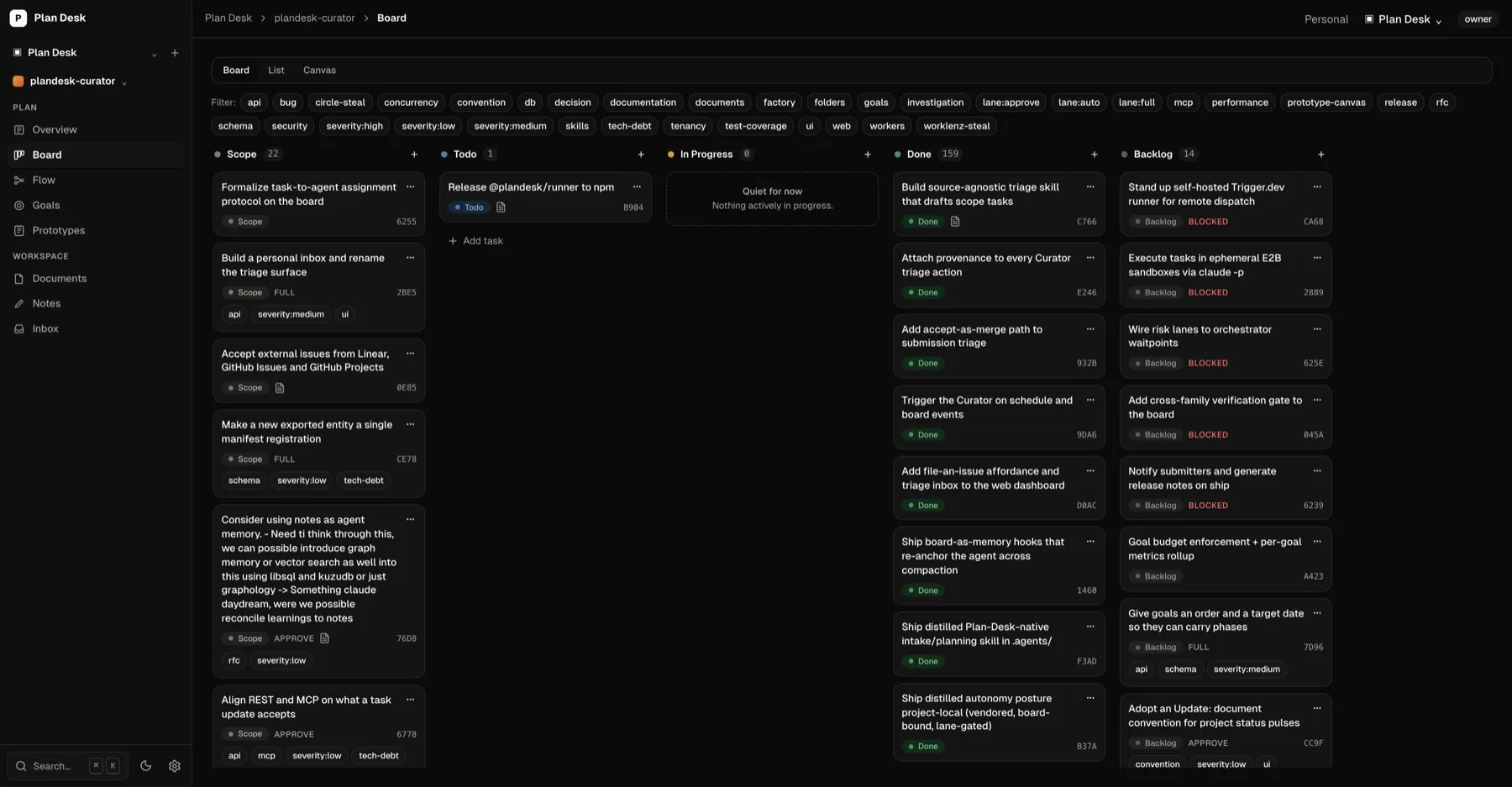
// One MCP call turns an idea into a plan
scaffold_project_from_plan({
  name: "Rate limiting",
  tasks: [
    { key: "design",  label: "Design rate-limit strategy",  status: "scope" },
    { key: "mw",      label: "Add token-bucket middleware", status: "todo"  },
    { key: "store",   label: "Wire Redis counter store",    status: "todo"  },
    { key: "rollout", label: "Roll out behind a flag",      status: "todo"  },
  ],
  edges: [
    { from: "design", to: "mw",      label: "blocks"     },
    { from: "mw",     to: "store",   label: "blocks"     },
    { from: "store",  to: "rollout", label: "depends_on" },
  ],
  documents: [{ title: "Design: rate limiting", link_to: "design" }],
})
$ plandesk connect --project "Rate limiting"
writes .plandesk/config.json project binding
.plandesk/skill.md agent conventions
.plandesk/token (gitignored)
.mcp.json MCP server entry
CLAUDE.md @.plandesk/skill.md
✓ connected — start a new agent session// The agent works the graph in dependency order
get_next_task({ project_id })
→ { next: {
next_task: { label: "Add token-bucket middleware", status: "todo" },
reason: "ok",
blocked: [{ task: "Wire Redis counter store",
waiting_on: ["Add token-bucket middleware"] }],
} }
update_task({ task_id, status: "done" }) // canvas + board update livePlan
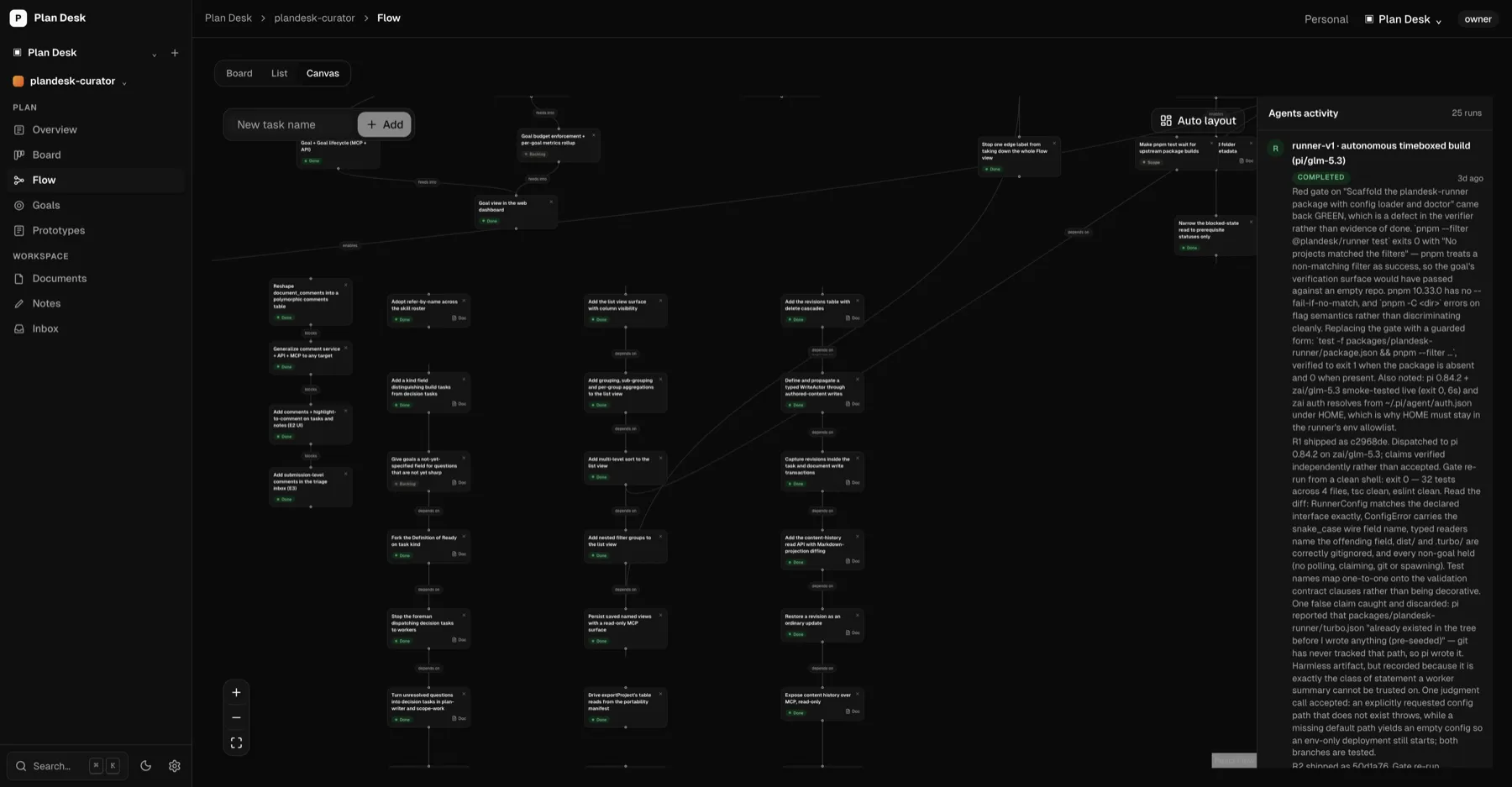
Sketch the graph on the canvas, or have your agent scaffold it from a one-line idea.
Connect
plandesk connect binds the repo over MCP — commit-safe, no secrets committed.
Build
The agent loops get_next_task → code → done, in dependency order, live on the canvas.
One plan, a surface for every job.
Everything is one connected plan.
Dependency canvas
Map work as a directed graph with labeled edges — what blocks what is explicit, not buried in a list.
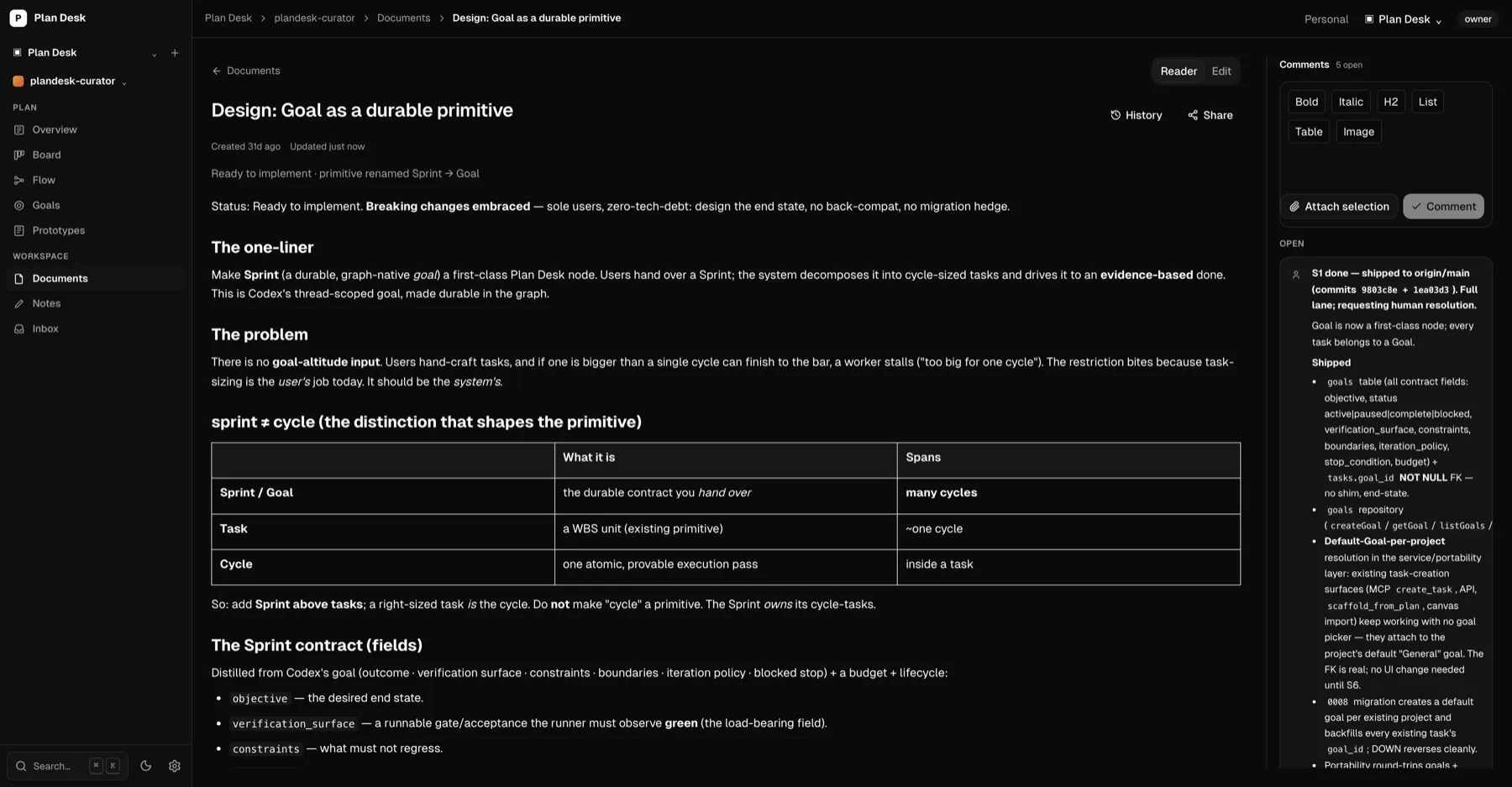
Specs on nodes
Attach a document to any task. Agents read the spec before they touch a line of code.
Board
A kanban view that shares one source of truth with the canvas. Move a card, the graph updates.
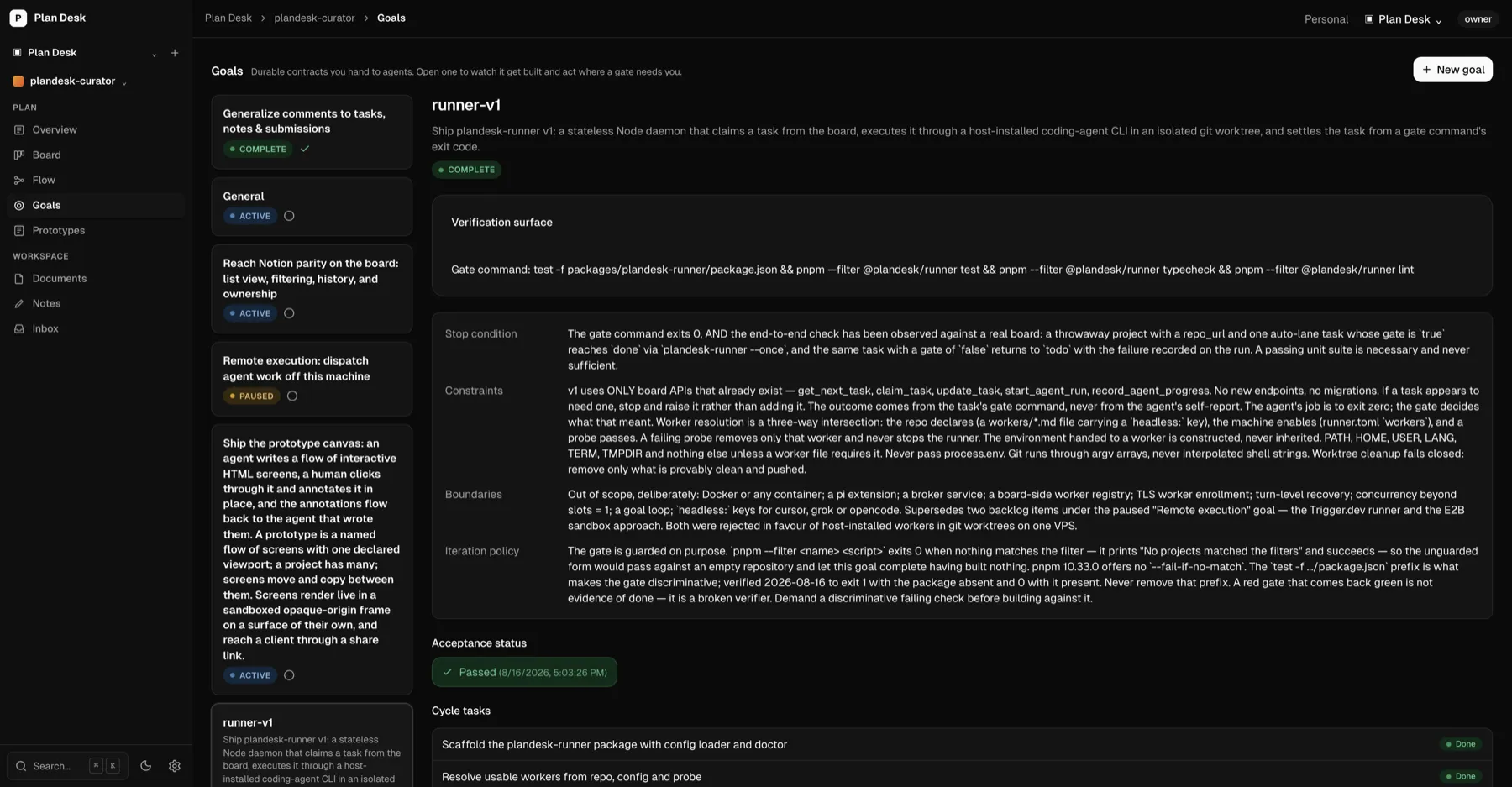
Goals
The contract above the tasks: a verification surface, a stop condition, and an acceptance status the agent has to satisfy.
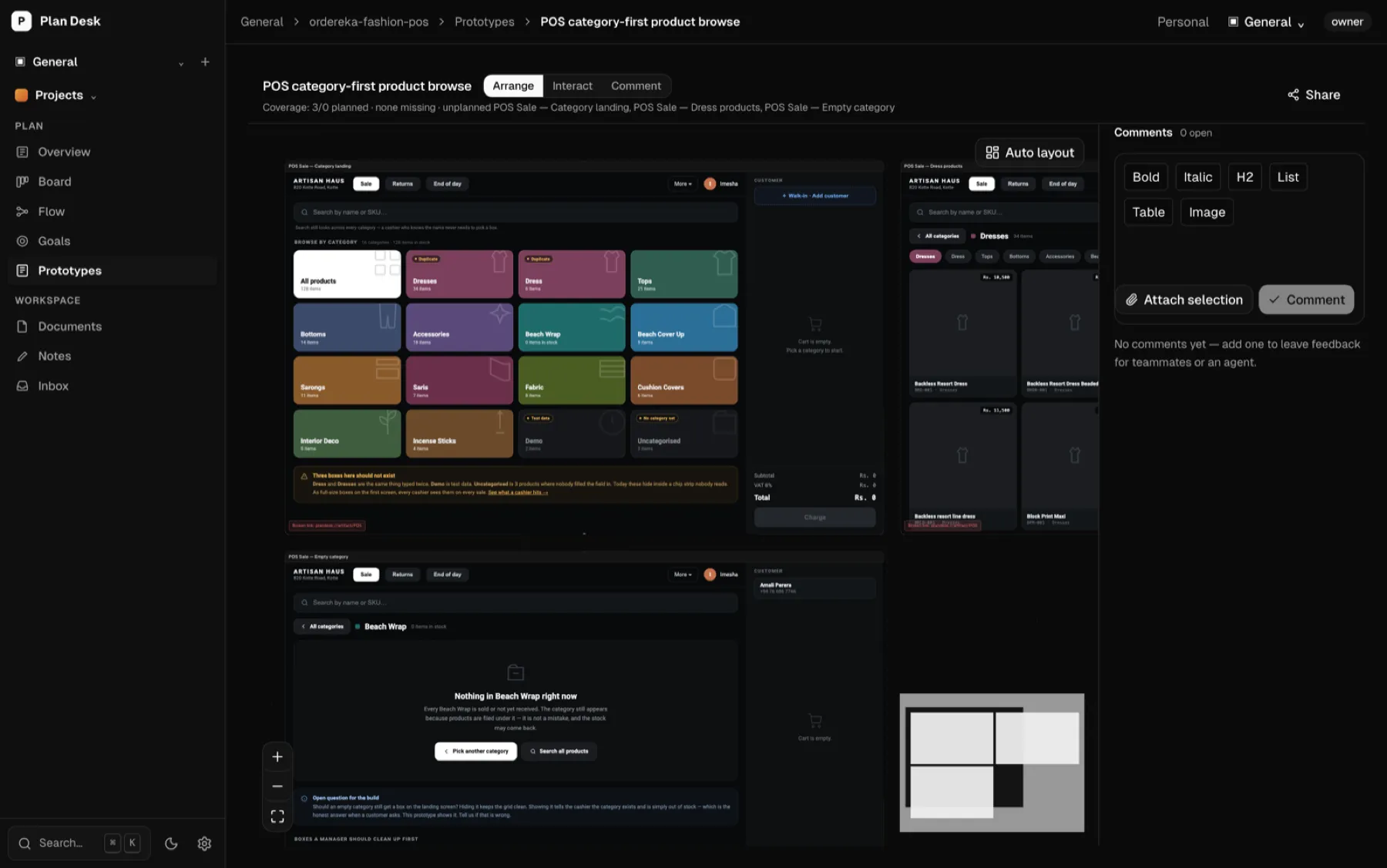
Prototypes
Click-through HTML screens an agent builds and you comment on — argue about the flow before it costs a sprint.
Project notes
Free-form working notes in a rich-text editor, scoped to the project and separate from formal specs — for findings and context worth keeping.
MCP — 64 tools
Agents scaffold whole plans, pick the next unblocked task, and update status live over MCP.
Comments loop
Leave feedback on a doc in the UI; the agent pulls it, addresses it, and resolves it — live.
Local-first
Runs on your machine over SQLite. No cloud, no lock-in. Lossless JSON export/import.
Point your agent at it.
From your project folder, paste the prompt into Claude Code or Codex.